Data Analyst | SQL, PowerBI, Excel
I am a data professional, proficient in transforming complex datasets into actionable insights. My workflow focuses on SQL and Excel to collect, clean and transform raw datasets to uncover trends, patterns, and KPIs across sales, customer behavior, and operational performance. I build interactive PowerBI dashboards that visualize key metrics and applying analytical techniques like RFM segmentation to support data-driven stories that help organizations make informed decisions.
With experience in Power BI, SQL, and data modeling, I transform complex data into a clear, comprehensive report that reveal critical areas. This portfolio showcases my projects across various sectors.
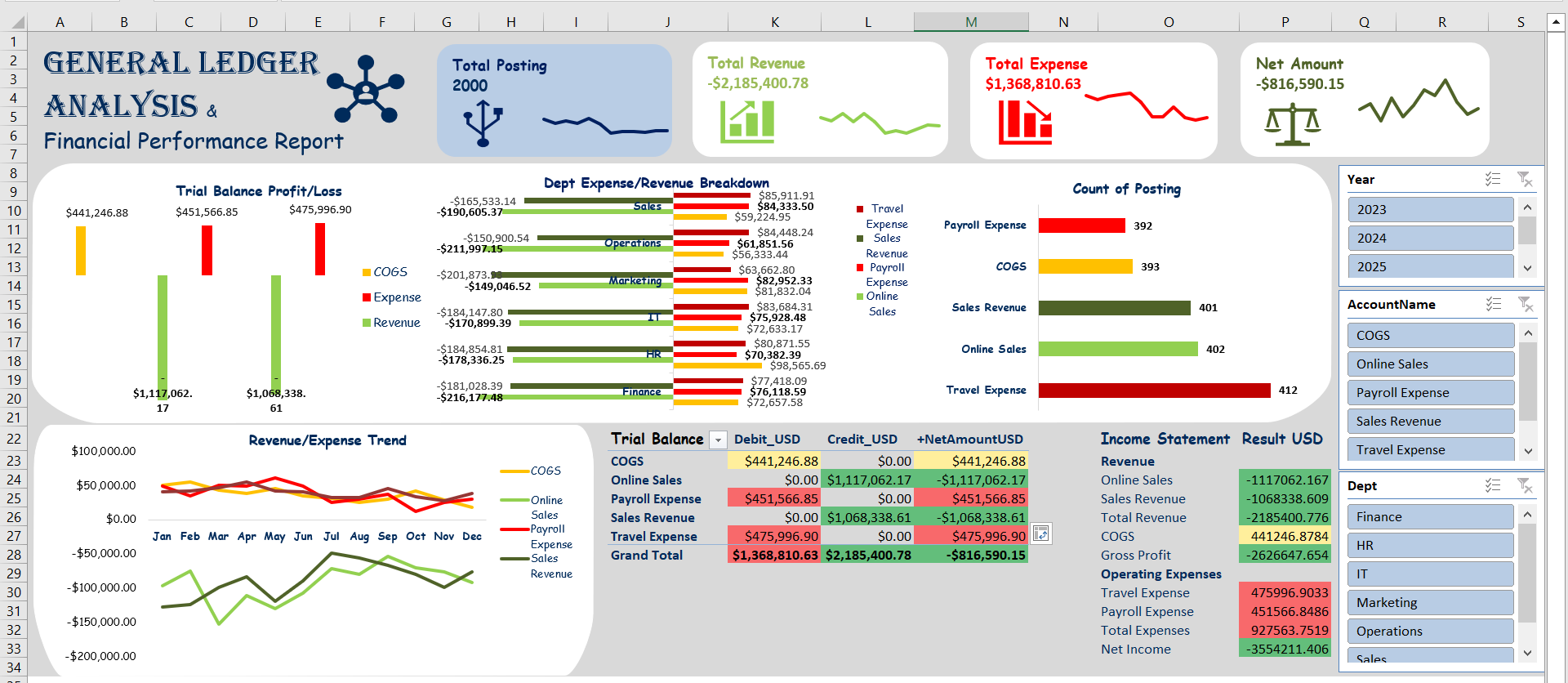
A financial reporting system in Excel using a raw general ledger dataset. Organized accounts, automated aggregations with formulas and PivotTables, and created a structured financial statement to track Profit & loss.
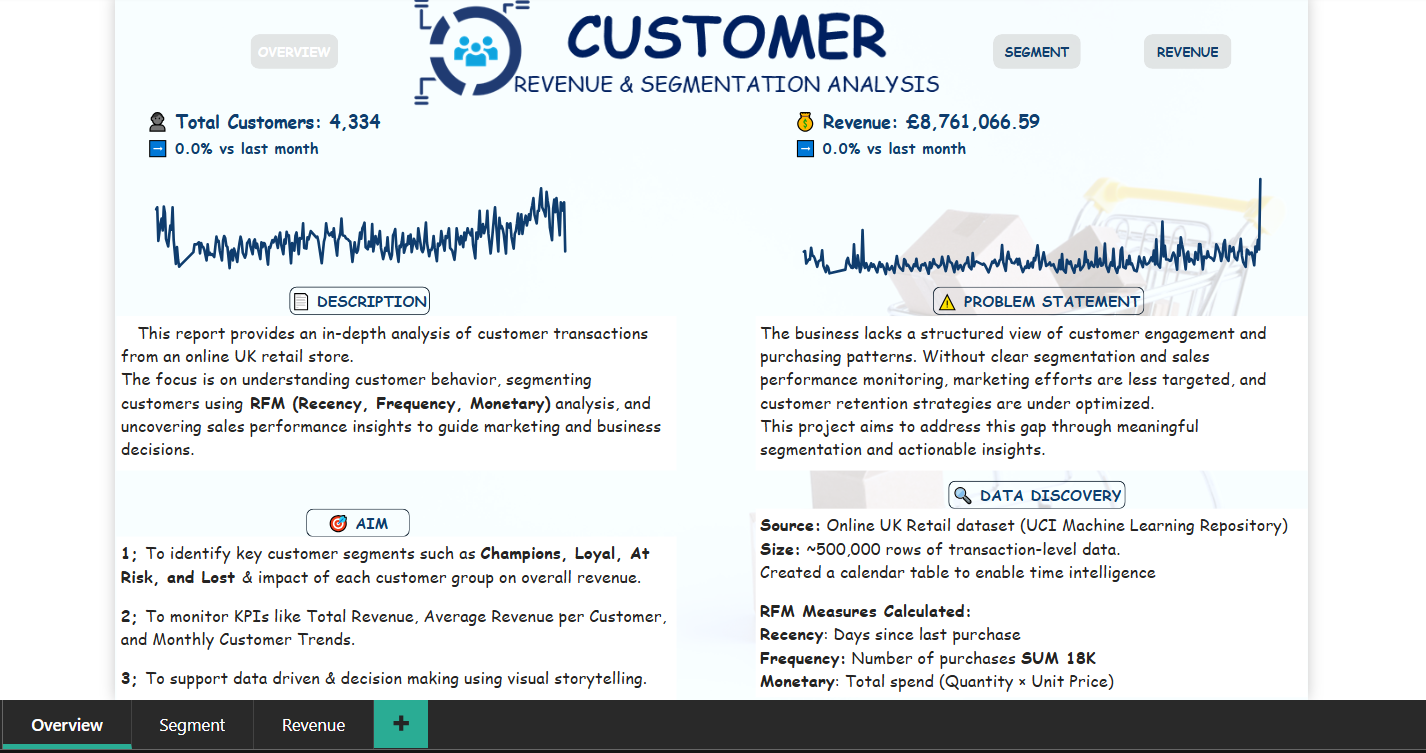
Designed an end-to-end retail sales project using SQL and Power BI. Conducted data cleaning, created RFM customer segmentation, and developed an interactive dashboard to track KPIs.
Using Power Query for data transformation and Power BI for visualization, the analysis uncovers insights into: Patient admissions and readmission, hospital stay patterns, Medical costs, medical encounters, insurance coverage and Trends.
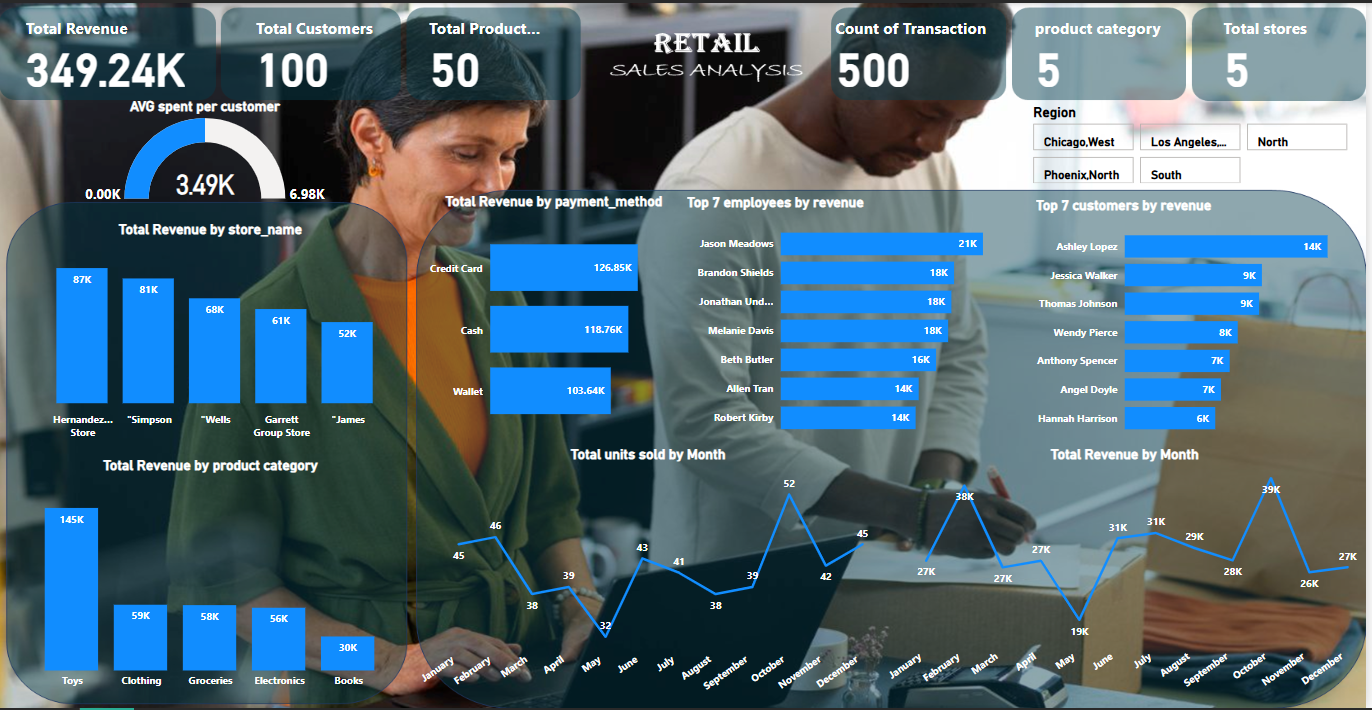
Performed end-to-end analysis on a retail dataset (customers, products, stores, employees, sales, payments) using SQL Server and Power BI. Applied advanced SQL techniques (joins, aggregations, group and filtering) to clean and analyze data, generating insights into sales performance, customer behavior, and payment trends. Built a Power BI dashboard to visualize KPIs and support business decision-making.
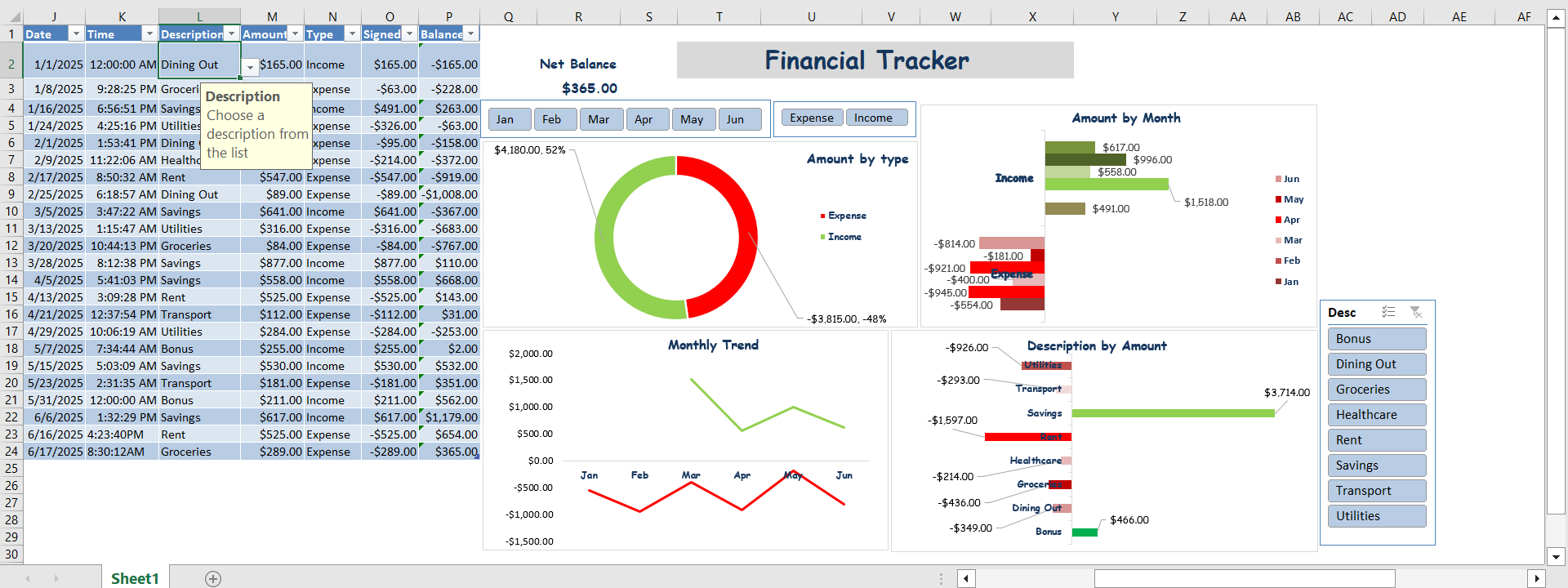
Developed an Excel based Personal Finance Tracker that enables users to record income and expenses with guided data validation. Automated running balance calculations and built a PivotTable powered dashboard with charts to visualize and slicers to interact with net balance, trends, spending by category, and income vs expenses.
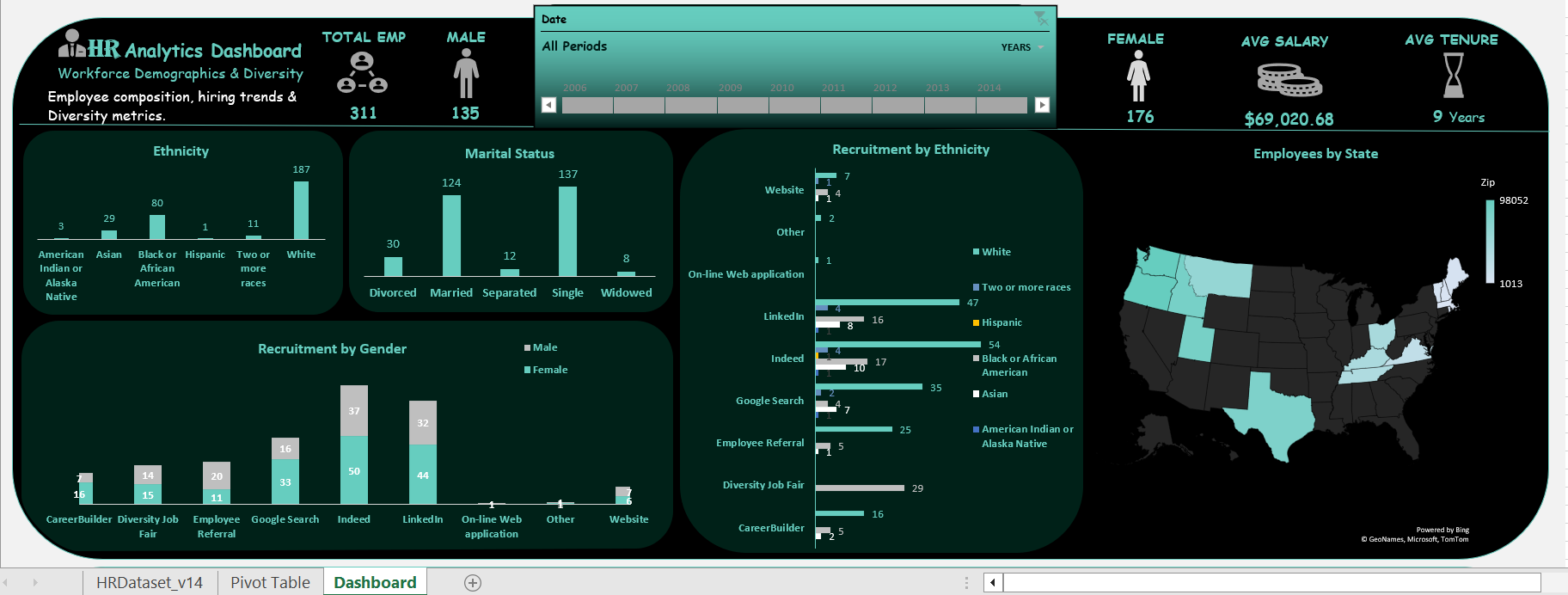
provided actionable insights into workforce dynamics, helping identify strengths like effective recruitment channels and areas of concern like pay inequities, using Excel (PivotTables, Charts, Conditional Formatting, Statistical Functions and comparative analysis)